
Clover Terminals
Engage customers at a Clover checkout, with a ClearLine tablet as your marketing screen.
ClearLine works on Clover payment devices in two ways: a manual QR code action your staff can show to the customer, and an automated QR code printed on every receipt. For the marketing slider and the thank-you screen, add a ClearLine tablet at the counter. It connects wirelessly to your Clover device through the ClearLine Marketing Cloud and responds to every transaction.
Please note: the marketing slider and thank-you screen are not supported on the Clover payment device screen. They run on the ClearLine tablet.
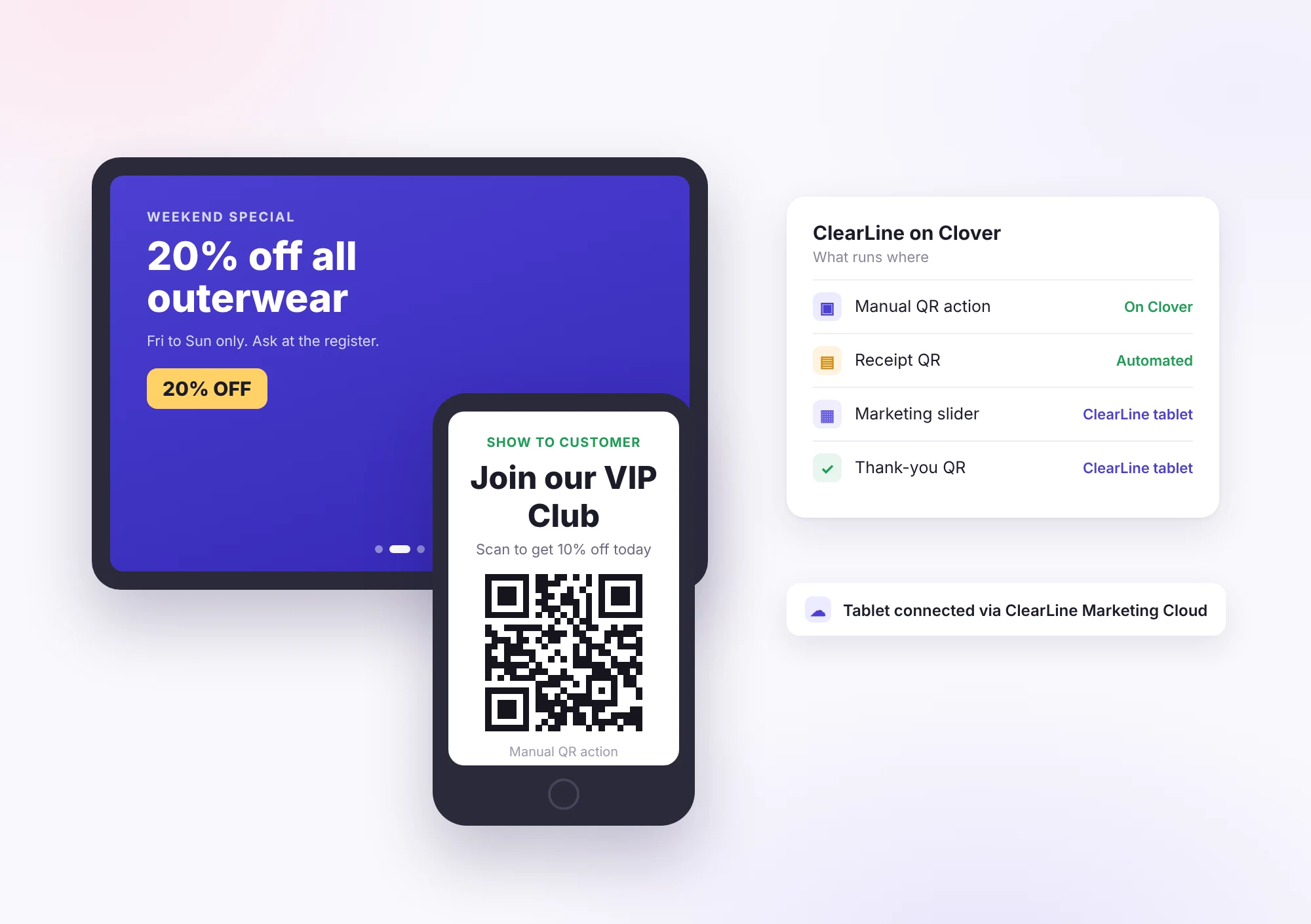
- Manual QR code action on Clover
- Automated QR code on every receipt
- ClearLine tablet as your marketing screen
- Connected via ClearLine Marketing Cloud
ClearLine turns a Clover checkout into marketing touchpoints, using your Clover device and a ClearLine tablet together:
On the Clover device: staff can trigger a QR code action, such as joining your VIP Club or leaving a review, for the customer to scan.
On the receipt: a QR code prints automatically on every receipt, so your offer leaves the store with the customer.
On the ClearLine tablet: a marketing slider shows your promotions before payment, and a branded thank-you screen with a smart QR code appears after payment. The tablet connects wirelessly to your Clover device through the ClearLine Marketing Cloud.
Limitation: the marketing slider and thank-you screen are not supported on the Clover payment device itself. To use them, add a ClearLine tablet.
Every QR opens a turnkey smart landing page, and the data and consent you collect power SMS, email and win-back campaigns.
A few ways Clover merchants put it to work.
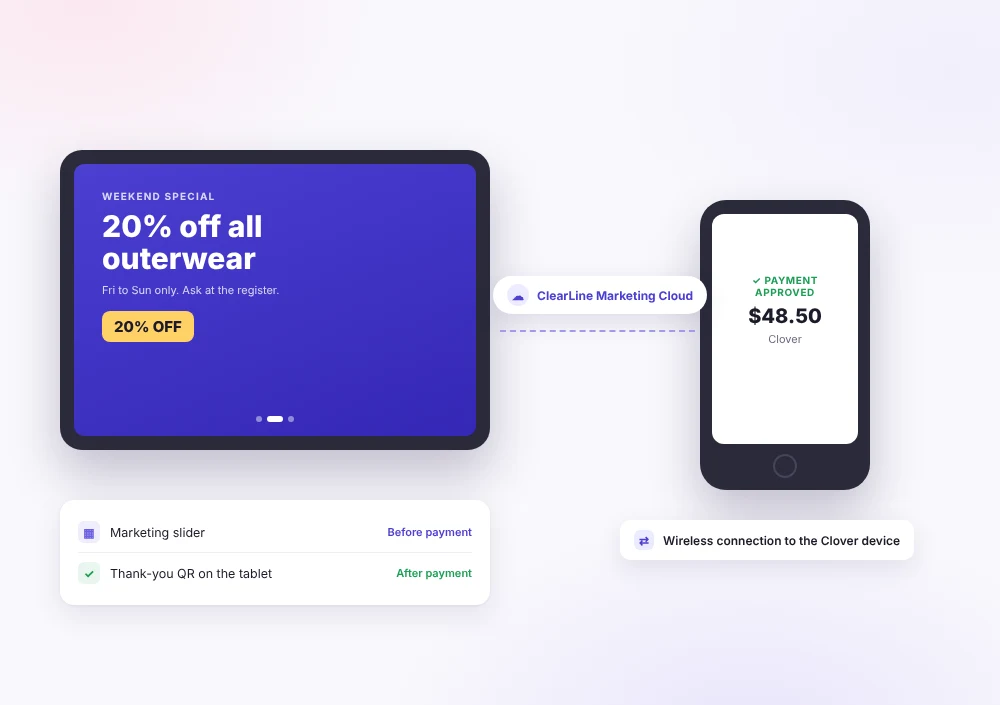
Place a ClearLine tablet next to your Clover device. Before payment, it shows a marketing slider with your specials, new arrivals and VIP Club offers while customers wait to pay.
The tablet connects wirelessly to Clover through the ClearLine Marketing Cloud, so when a payment is approved it switches to a branded thank-you screen with a smart QR code.
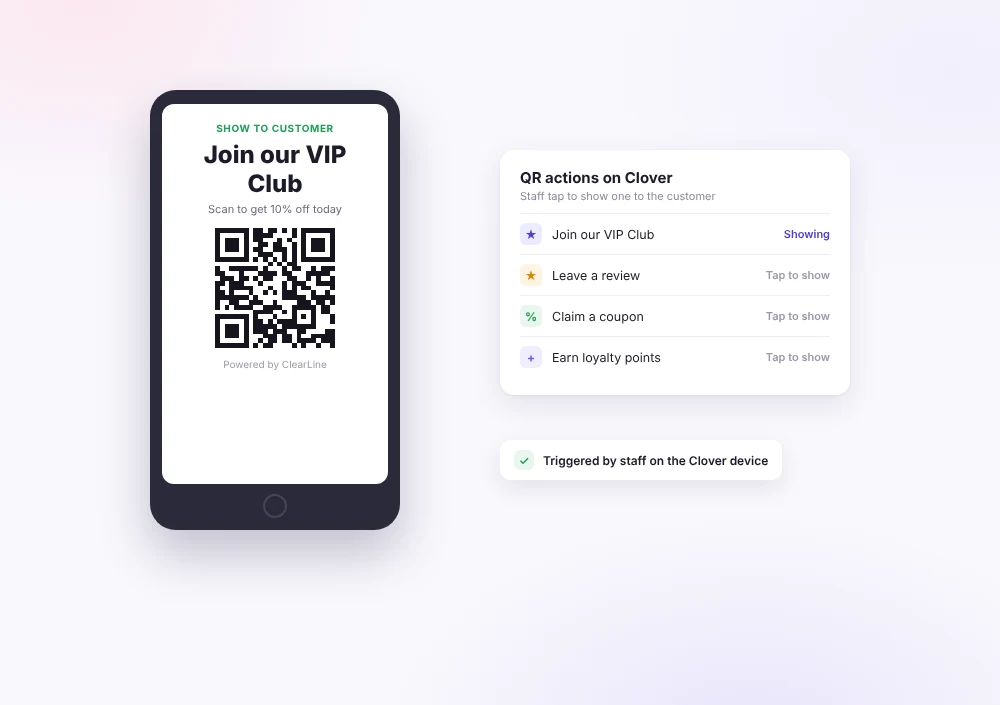
When the moment is right, staff can trigger a QR code action on the Clover device, like joining your VIP Club, leaving a review, claiming a coupon or earning points. The customer scans it with their phone and lands on a smart page.
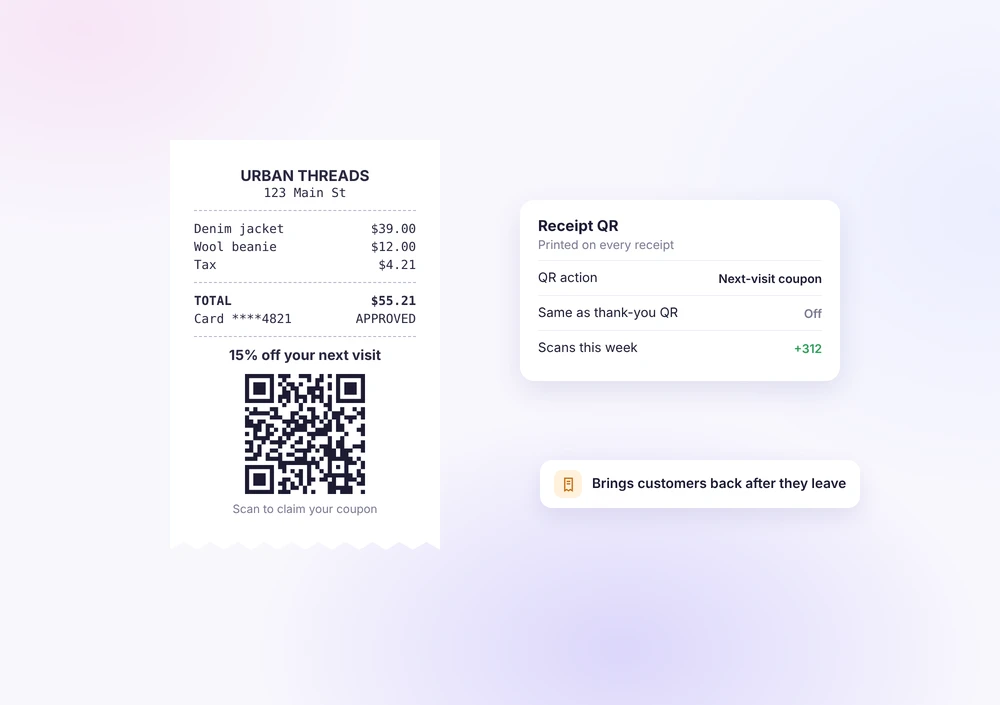
ClearLine prints a QR code on every Clover receipt automatically, so your offer leaves the store with the customer. Use it for a next-visit coupon, a review request or VIP Club sign-up.
Every scan opens a turnkey smart landing page, and you can track scans and results in ClearLine.
ClearLine works with Clover payment devices. Contact us with your Clover models and we will confirm compatibility.
No. On Clover payment devices, ClearLine supports a manual QR code action and an automated QR code on the receipt. The marketing slider and thank-you screen run on a ClearLine tablet connected to your Clover device through the ClearLine Marketing Cloud.
Wirelessly, through the ClearLine Marketing Cloud. When a payment is approved on Clover, the tablet switches from the marketing slider to your thank-you screen with a smart QR code.
Yes. Use the same QR code for both, or a different one for each touchpoint, like a review request on the tablet and a next-visit coupon on the receipt.
Leave a review, join your VIP Club, claim a coupon, earn loyalty points, follow you on social media and more. Every QR opens a turnkey smart landing page.
From the ClearLine dashboard. Update QR code actions, receipt QR codes, slider content and thank-you screens for every location at once, or manage each device individually.
Not for the manual QR code action and receipt QR, which run on your Clover device. To add the marketing slider and thank-you screen, you need a ClearLine tablet at the counter. QR and NFC stands and stickers are also available if you want more touchpoints.
Contact our team about your Clover devices and we will help you set up ClearLine, add a ClearLine tablet if you want the slider and thank-you screen, and choose the right marketing tools for your business.
Get the latest insights on in-store marketing, POS integration, and ClearLine updates.